
Smart Factory
End-to-end production planning optimization Align delivery, materials, and workforce
ePlanView™ APS
APS(Advanced Planning and Scheduling)
ePlanView™ is simulation software that optimizes production planning and scheduling by integrating key factors—lead time, delivery, manpower, materials, and maintenance—while instantly adapting to on-site changes to deliver the most efficient scenarios.
Key Features

Optimize Production Planning
Optimize production planning across delivery, materials, equipment, workforce, and processes
Automate production planning for diverse manufacturing environments

Flexible Production Planning
Respond quickly to demand and resource changes with simulation-based planning

Performance Analytics
Analyze actual performance against production plans
Track production plan compliance rates
Expected Benefits

Fast Decision-making
·Reschedule production quickly for urgent orders, order changes, and production disruptions
Shared Production Planning
·Coordinate actions across departments with a unified production plan
Enterprise-wide Operational Management
·Improve efficiency and visibility with production guidelines for shop floor operations
Establish an integrated information framework
·Build a knowledge-driven system that accumulates operational expertise
Key Functions
1/5
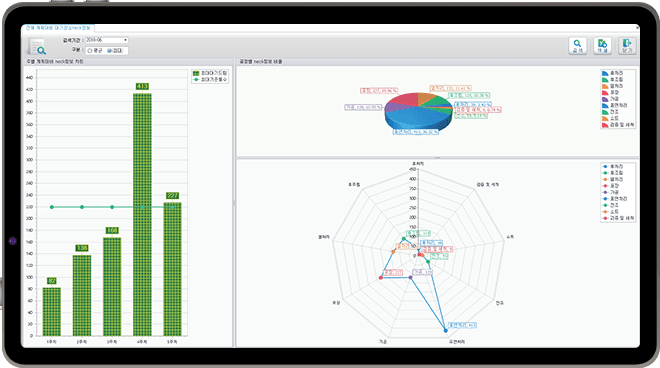
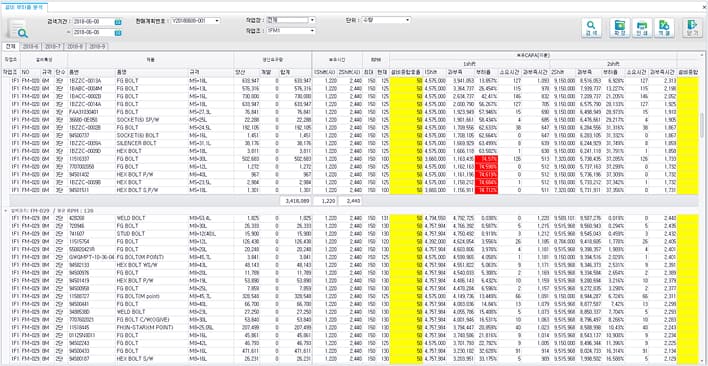
Monthly Equipment Load Analysis
·
Analyze monthly equipment capacity utilization and overload status based on MPS results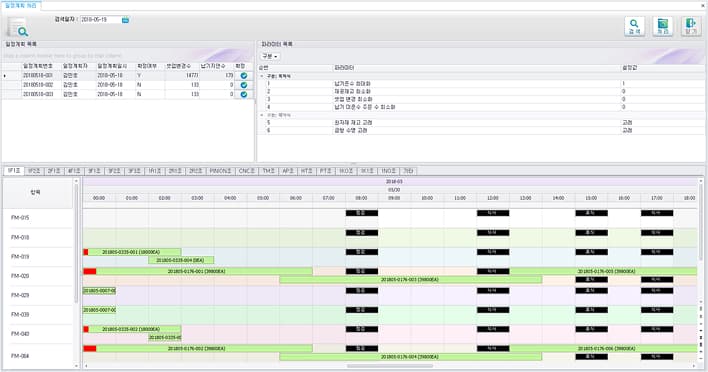
2/5
Scheduling Simulation
·
Optimize schedules by adjusting objectives and constraints to identify the best production scenario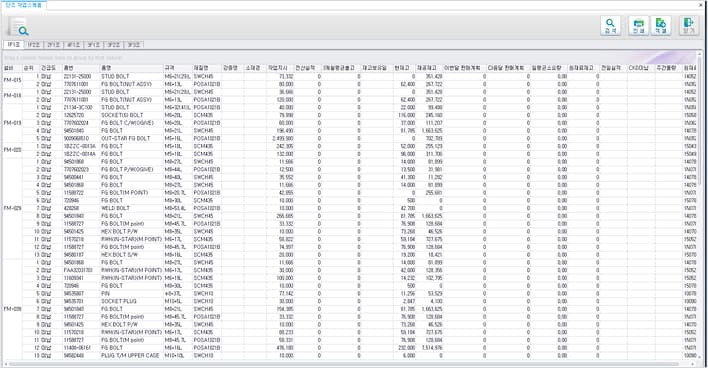
3/5
Process and Equipment Scheduling Overview
·
Monitor and distribute work orders by process, shift, and equipment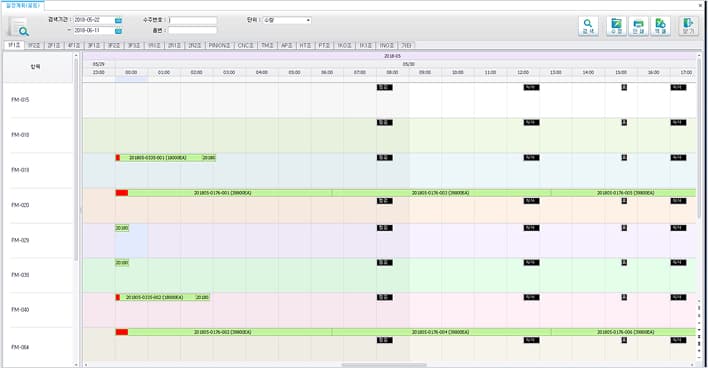
4/5
Gantt Chart
·
Visualize confirmed production schedules in a Gantt chart·
View schedules by work order, sales order, raw material, or part number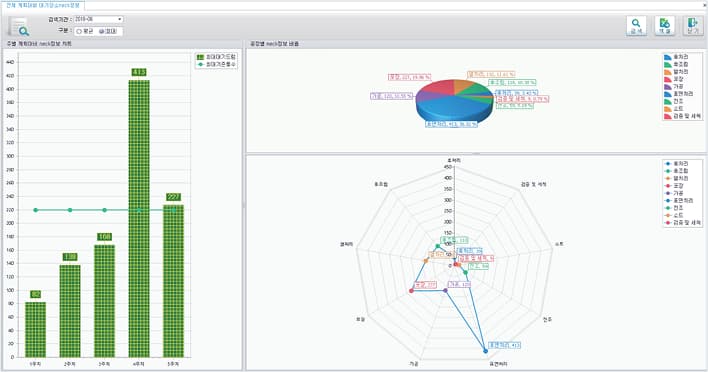
5/5
KPI & BI
·
Simulate work-in-process (WIP) at staging areas·
Monitor staging-area WIP against production plans·
Track daily WIP trends against production plans·
Analyze staging-area WIP by process against production plans·
Monitor total staging-area WIP against overall production plans·
Track daily production performance against plansOur experts will consult with you to determine if this solution fits your site.
Request a Consultation